
Formulas Collection
Browse and copy useful Google Sheets formulas
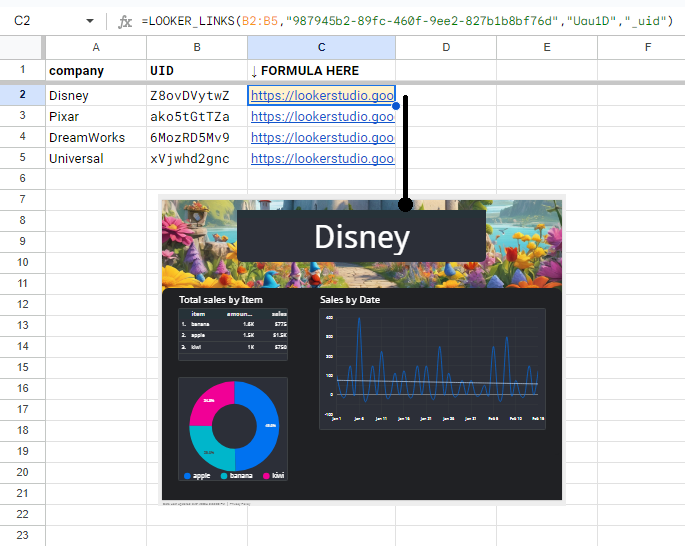
LOOKER_LINKS
📜Textsids,report_id,page_id,params Get the list of links for Looker Studio for individual reports
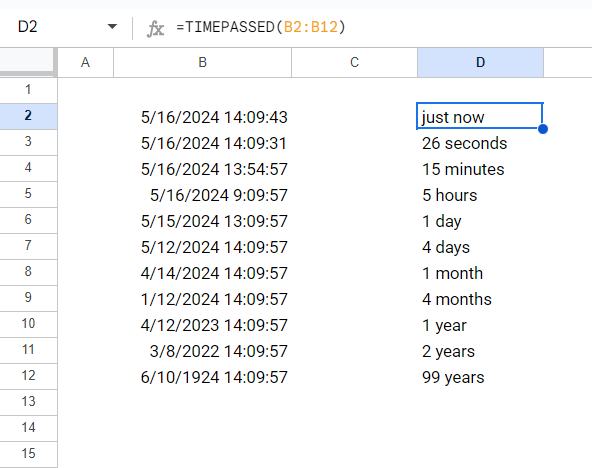
TimePast
🗓️Datestimestamps Get human-like definition of how much time passed since given datetime
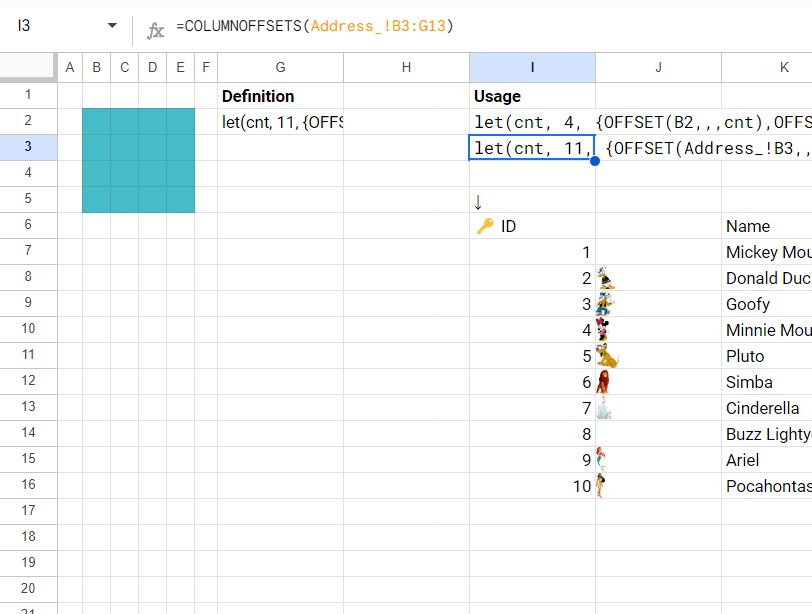
ColumnOffsets
🔀Navrange,row_offset Create columns offsets representation of range, including sheet name reference
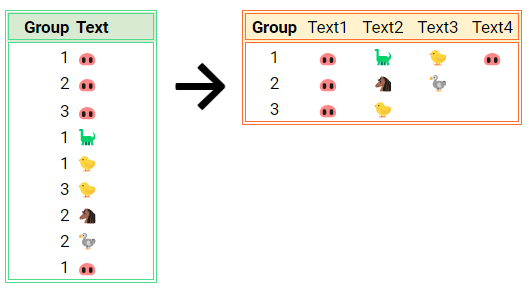
Group_By_Text
📦Arraysdata Creates group by column 1 of text in column 2. The result is pivot table made of text.
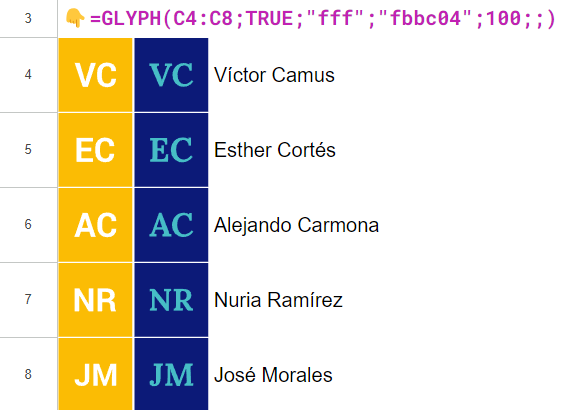
GLYPH by @pfelipm
🚀Power-Upsrange,only_initials,text_color,background_color,font,width,height Generates images from the text strings contained in the provided range. Use ";" to skip optional parameters and set them to their default values.
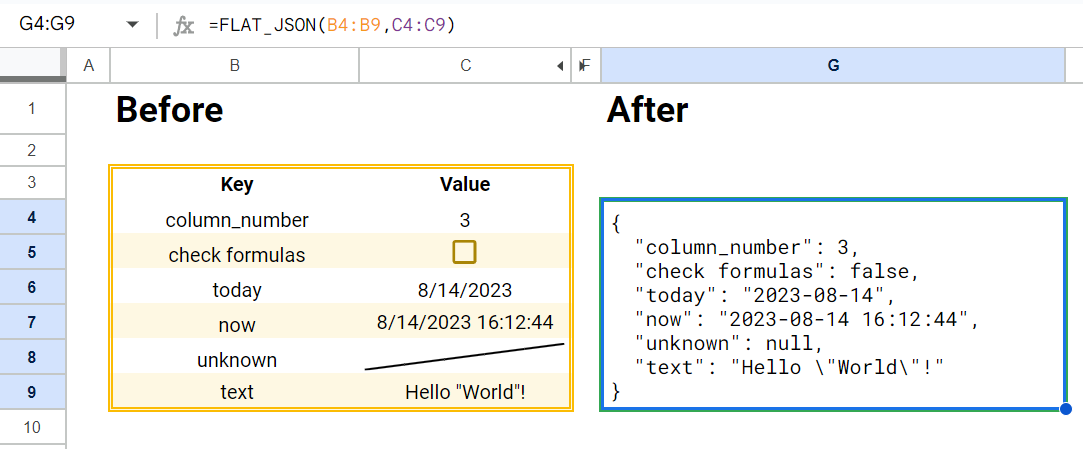
Flat_JSON
📜Textskeys,values Creates a flat JSON string based 2 on columns: keys and values. Useful to transfer data from Sheets to Script.
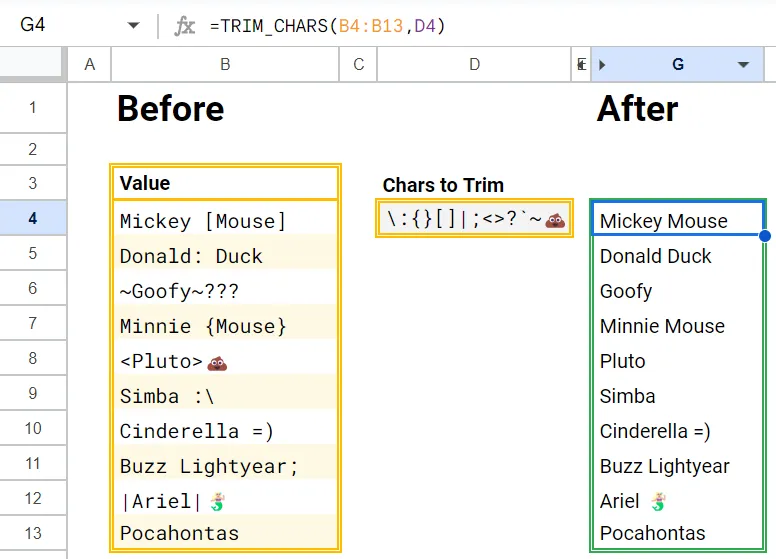
Trim_Chars
📜Textsvalues,chars_to_trim Replace chars of a list to space and trim the result
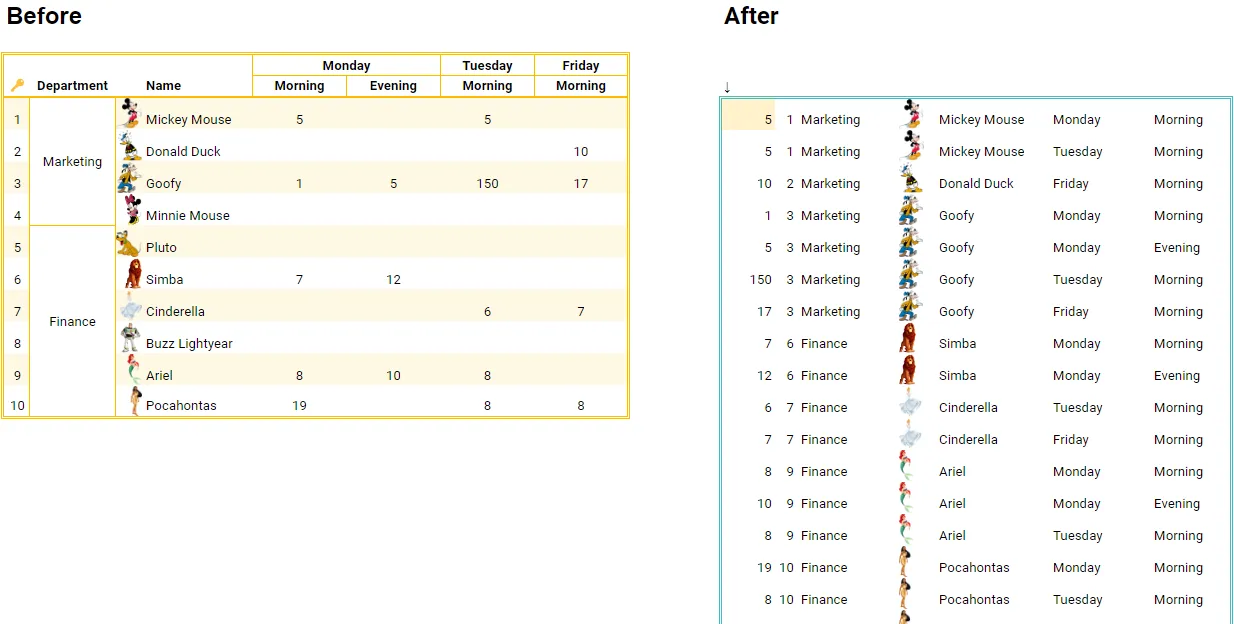
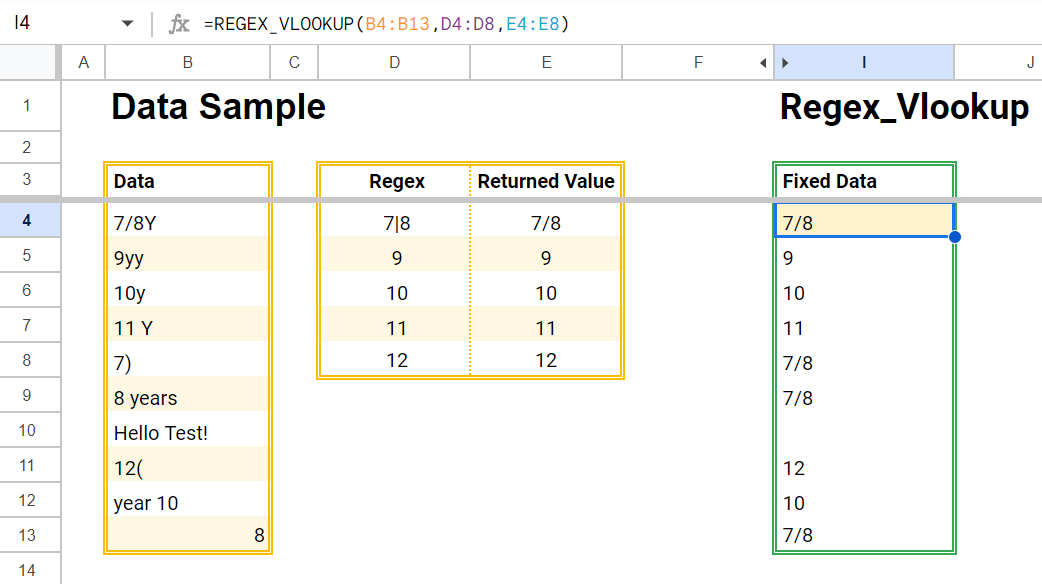
RegEx_Vlookup
🚀Power-Upsdata,regular_axpressions,values_return Search the first match using regular expressions
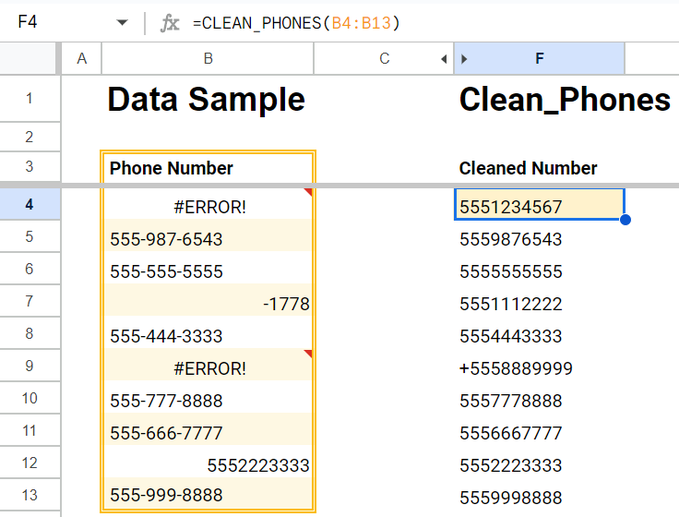
Clean_Phones
📜Textsdata The formula aims to precisely rectify poorly formatted phone numbers.
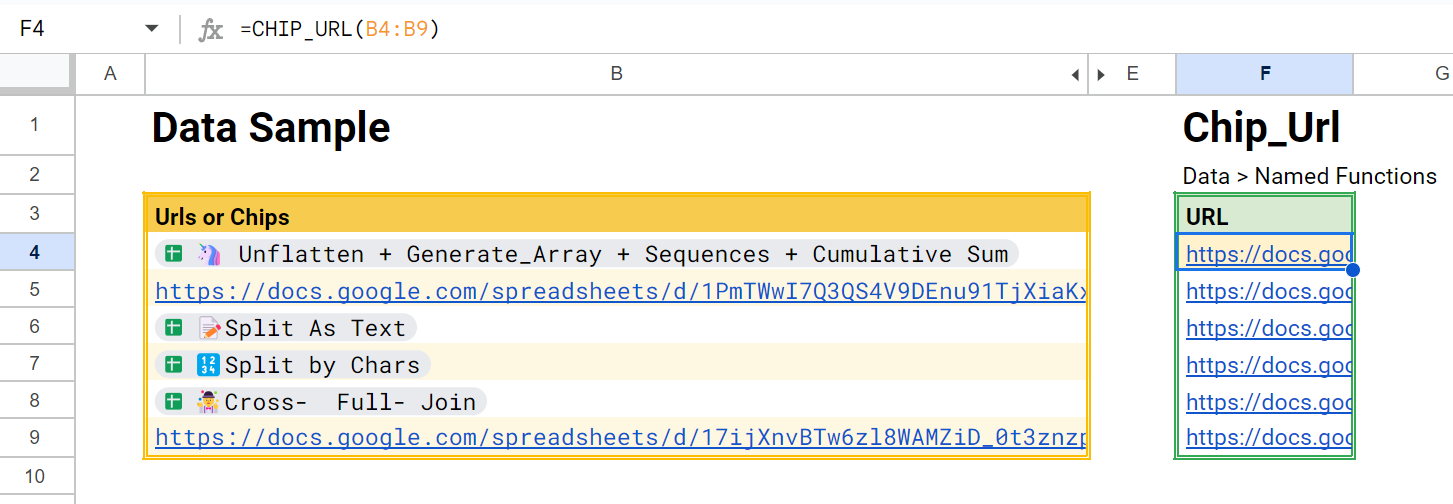
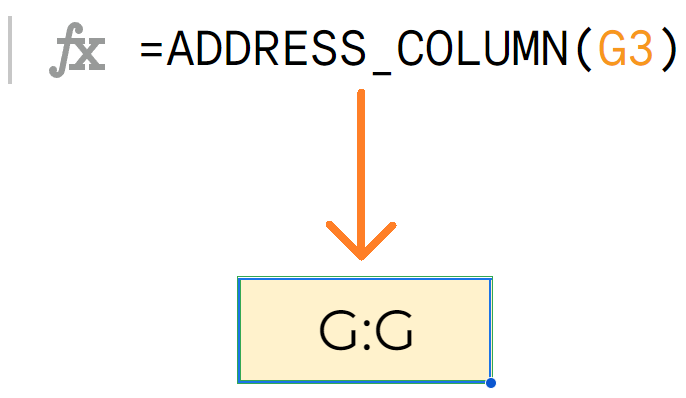
Address_
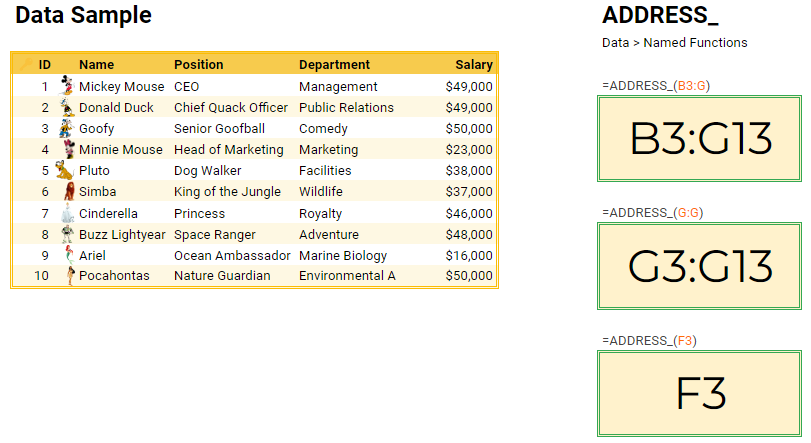
🔀Navrange get the A1-Address of datarange. The function will crop empty rows below the range
Extract_All
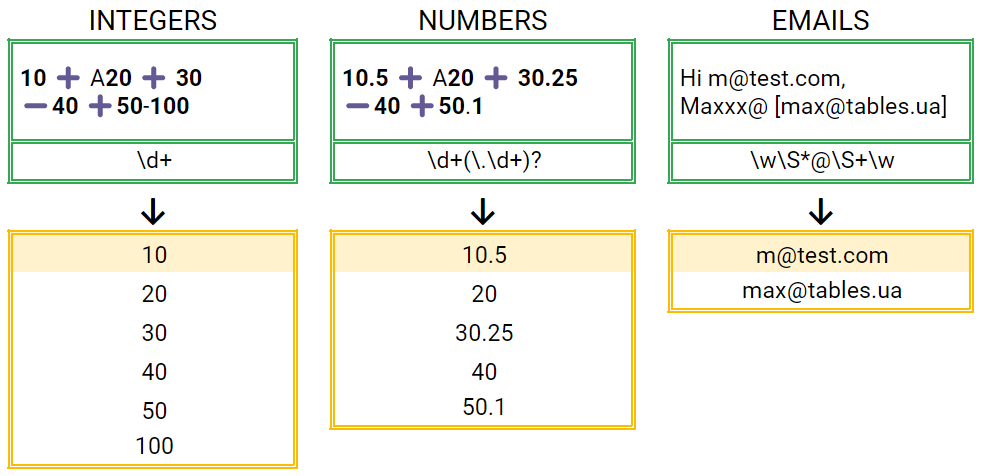
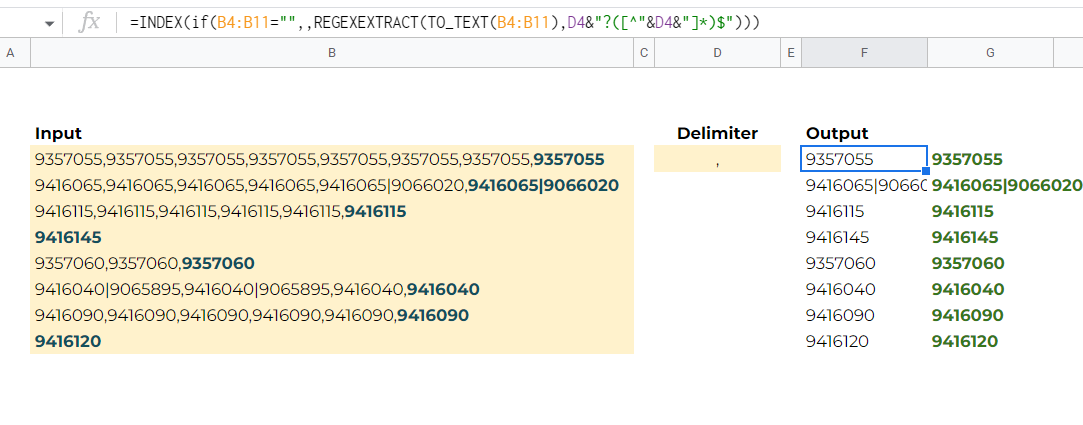
📜Textstext,regex_to_extract Extract all text parts from text. Extraction goes by RegEx pattern
Countem
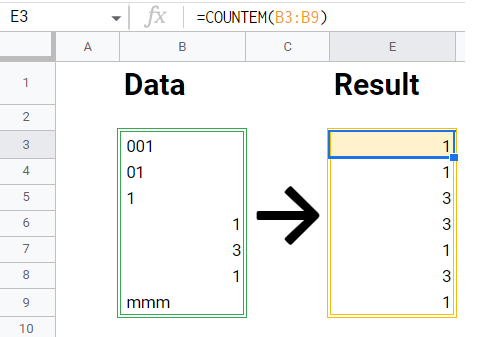
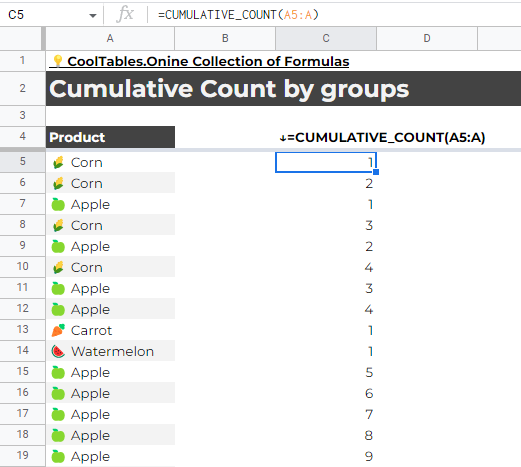
🚀Power-Upsdata Counts the number of current entry in the array. Works as ArrayFormula
Pivot_By_Text
📦Arraysdata Creates group by column 1 of text in column 2. The result is pivot table made of text.
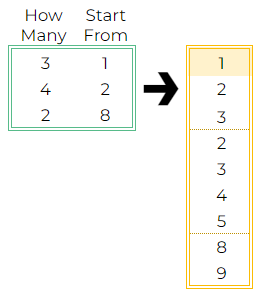
Sequence_CountFrom
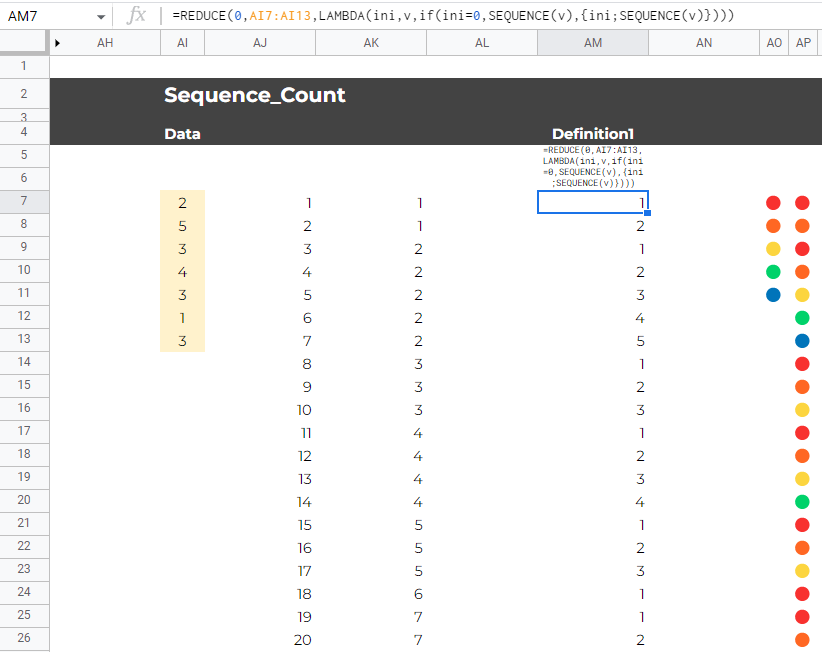
👻Genshow_many,start_from Create sequence of individual sequences, started from individual numbers
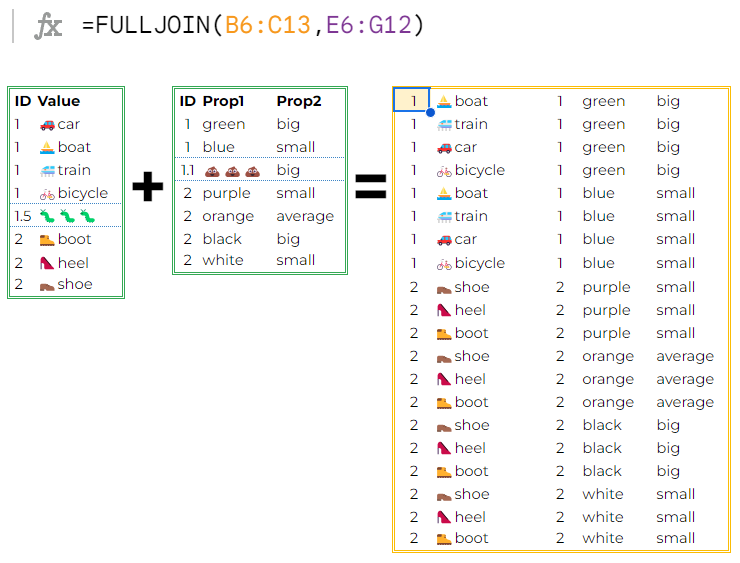
FullJoin
📦Arraysa,b Joins 2 ranges A and B by keys in the first columns of 2 ranges. All keys of range A must be present in B
Sortn_Max
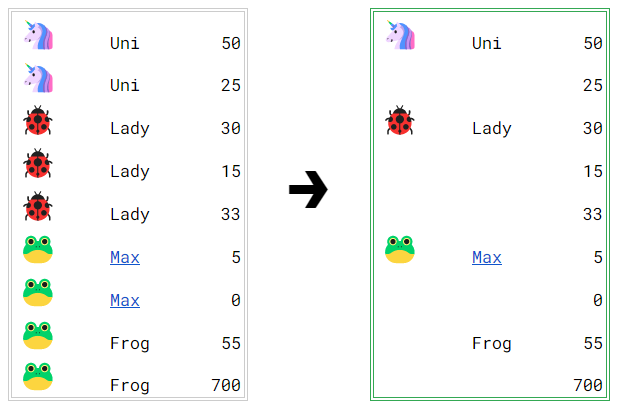
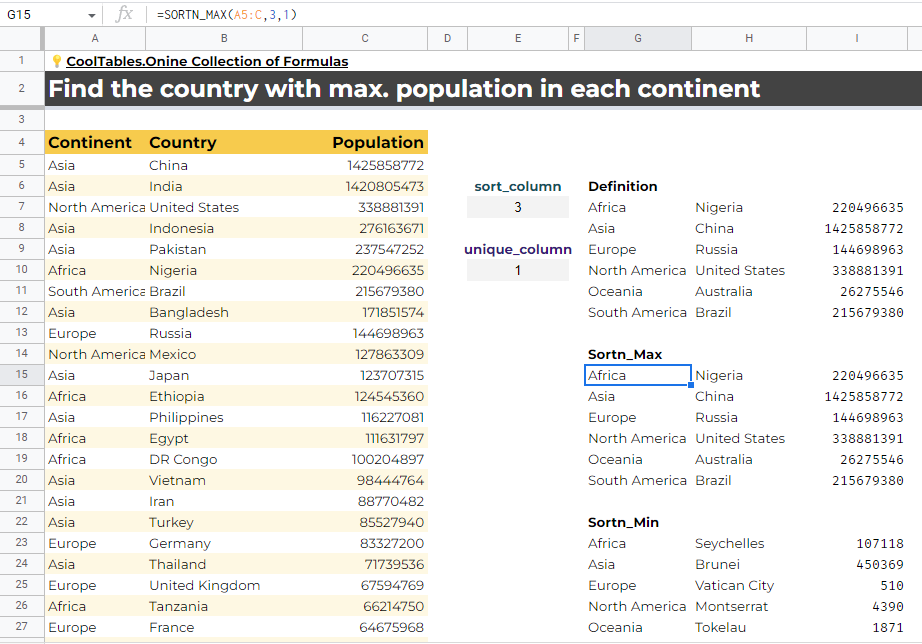
🚀Power-Upsdata,sort_column,unique_column find max values by groups and delete duplicates
Sortn_Min
🚀Power-Upsdata,sort_column,unique_column find min values by groups and delete duplicates
Unpack
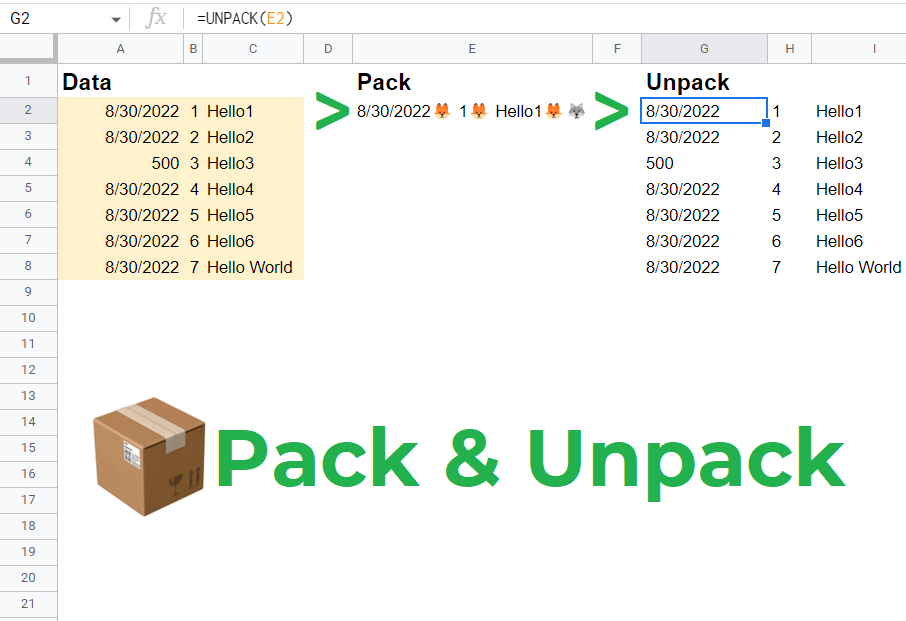
📦Arrayspacked Unpacks packed data back into array. This function is used in pair with PACK functions. Use it to operate complex calculations.
Offset_
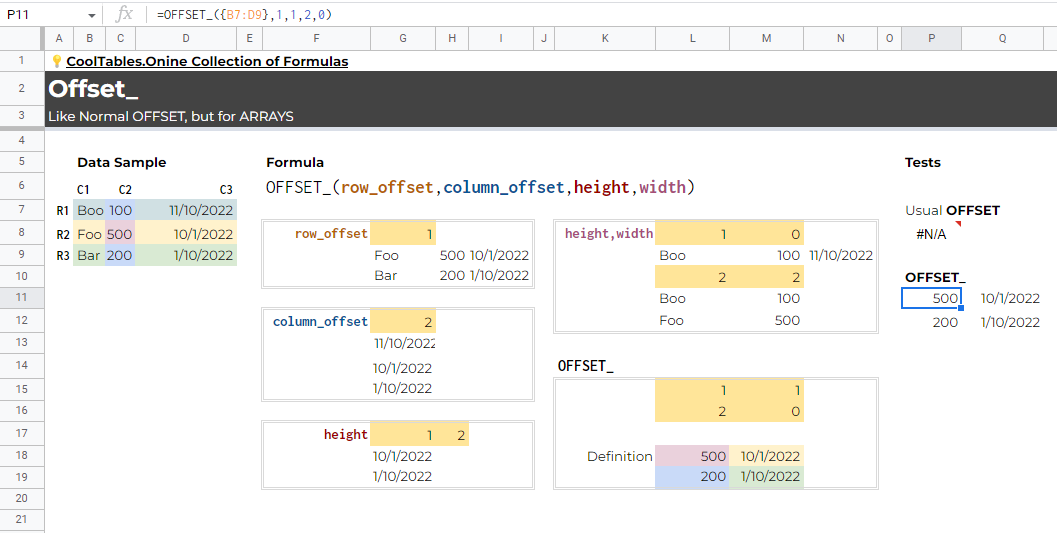
🚀Power-Upsdata,row_offset,column_offset,height,width Like Normal OFFSET, but for ARRAYS
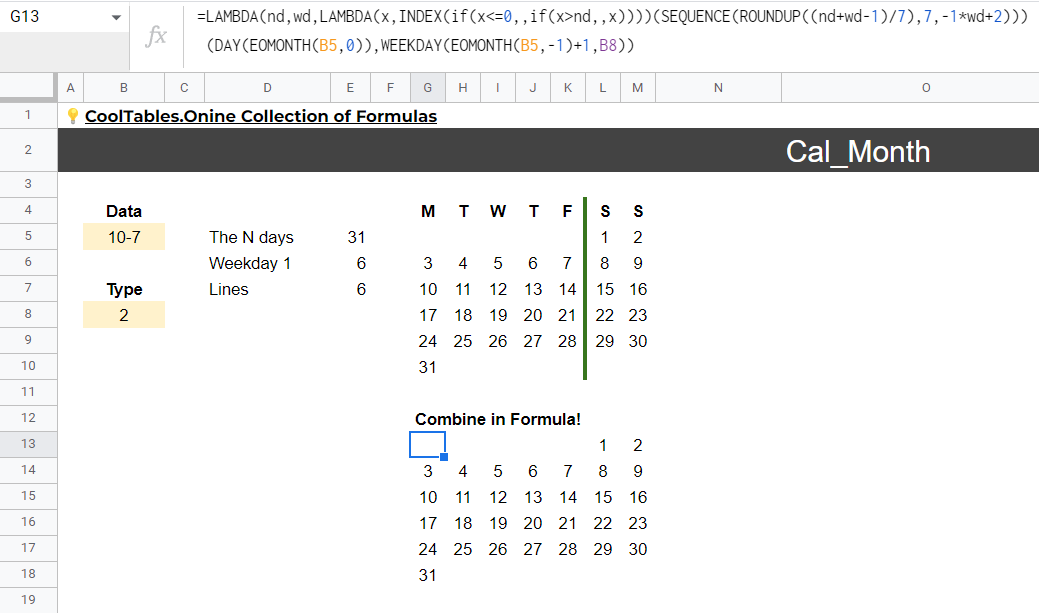
Cal_Month2
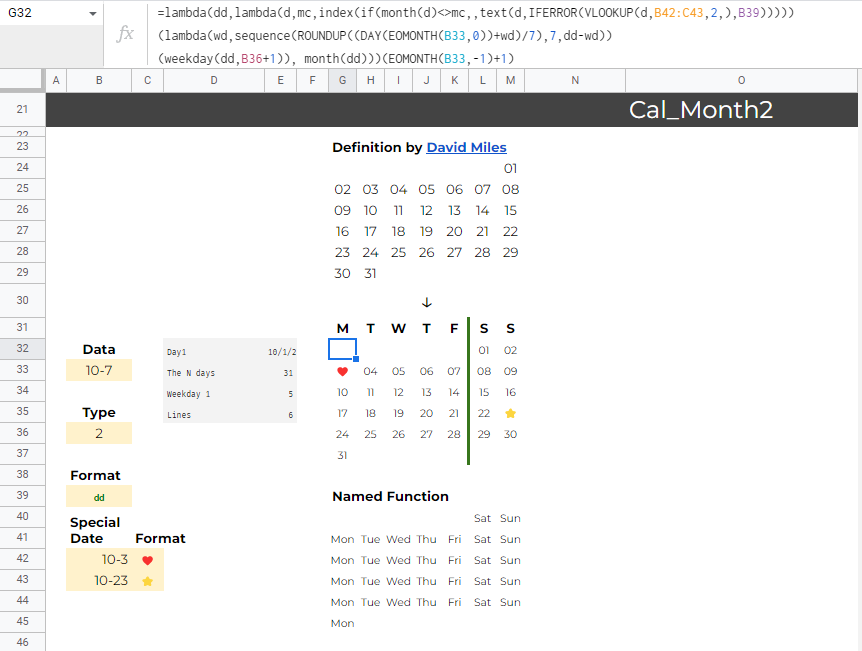
🗓️Datesdate_,type,date_format,special_date_formats Create calendar of month by date with custom dates formats
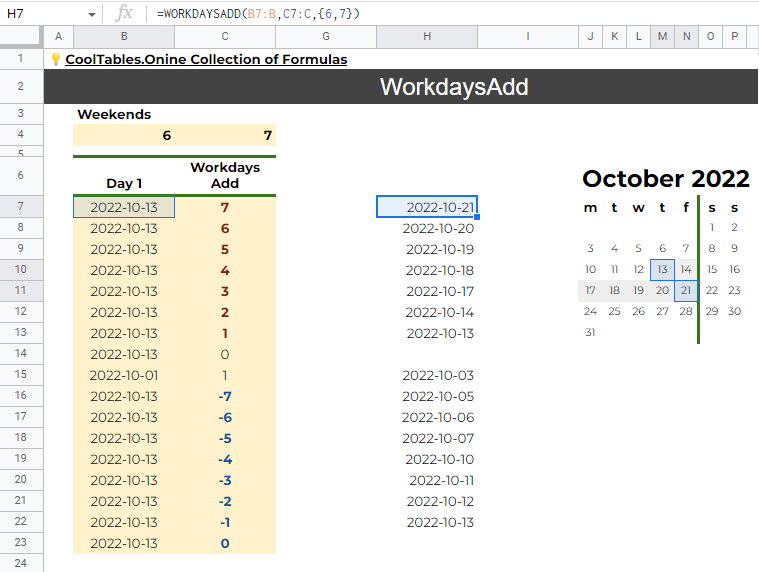
WorkdaysAdd
🗓️Datesdates,days,weekends Finds the date after or before the given date will give us N workdays
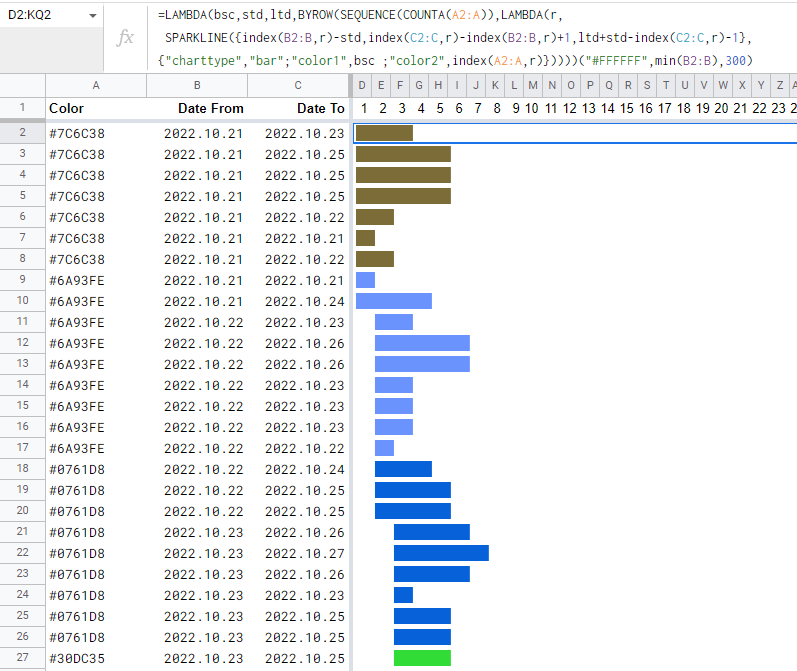
Gantt_Bars
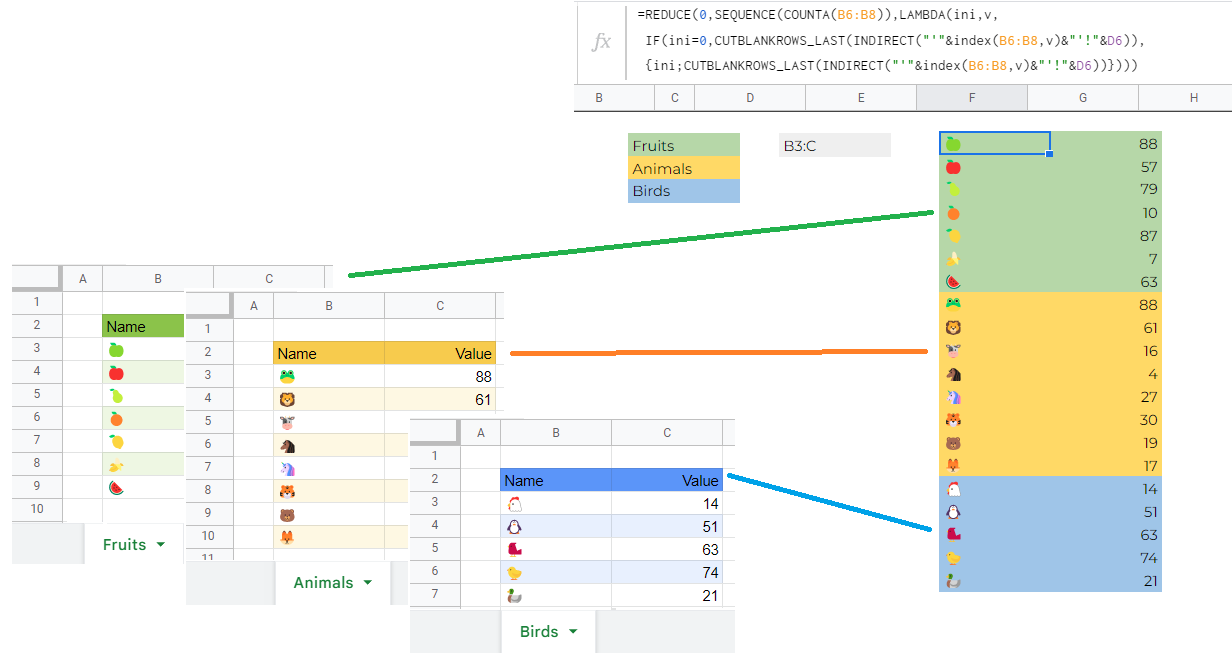
👻Genscolors,dates_from,dates_to,total_periods Create Gantt chart colored bars
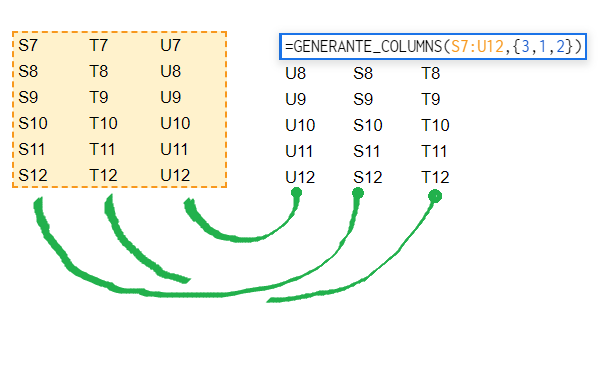
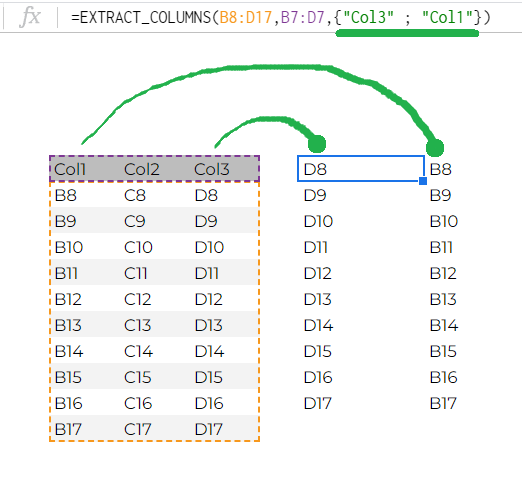
Extract_Columns
📦Arraysdata,data_headers,columns_return Extract columns from data by column names
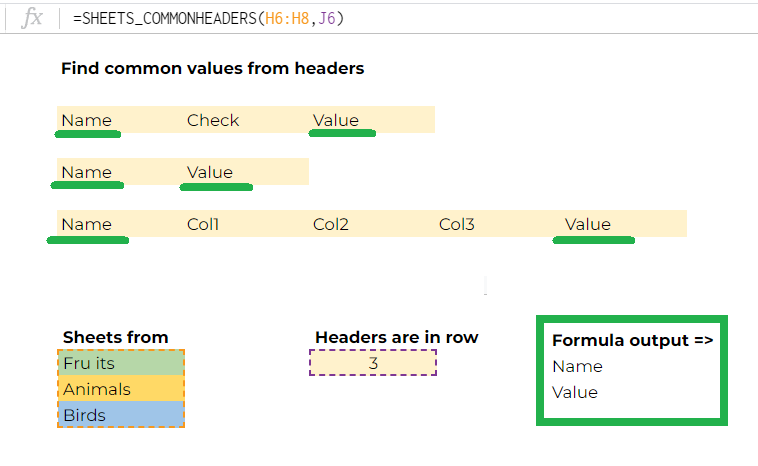
Sheets_CommonHeaders
🔀Navsheet_names,header_row Find common headers from multiple sheets
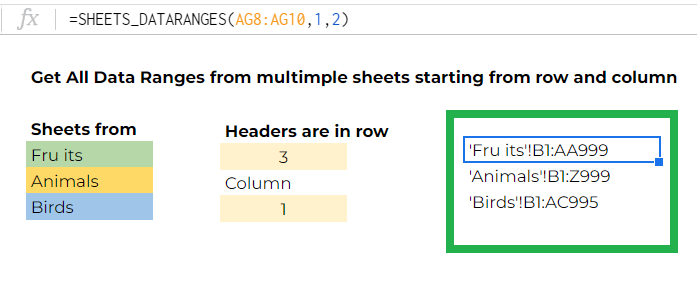
Sheets_Dataranges
🔀Navsheet_names,row_num,col_num gets data range addresses from multiple sheets from row R and starting from column C up to the end of sheets
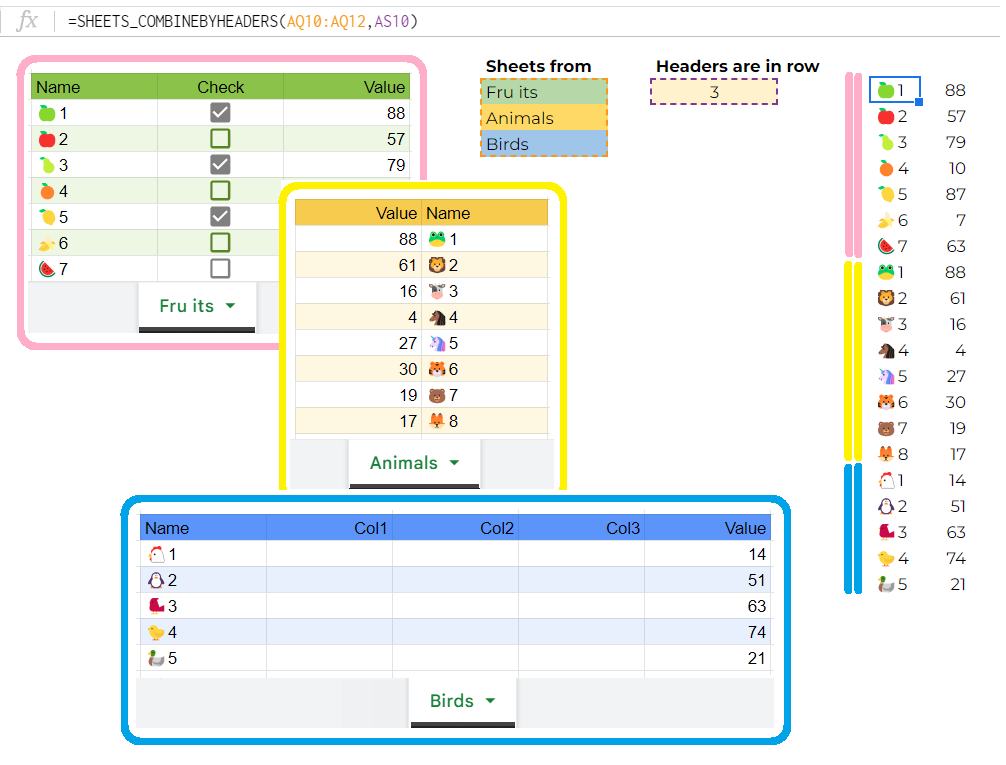
Sheets_CombineByHeaders
🔀Navsheet_names,header_row Combines data from multiple sheets by common headers
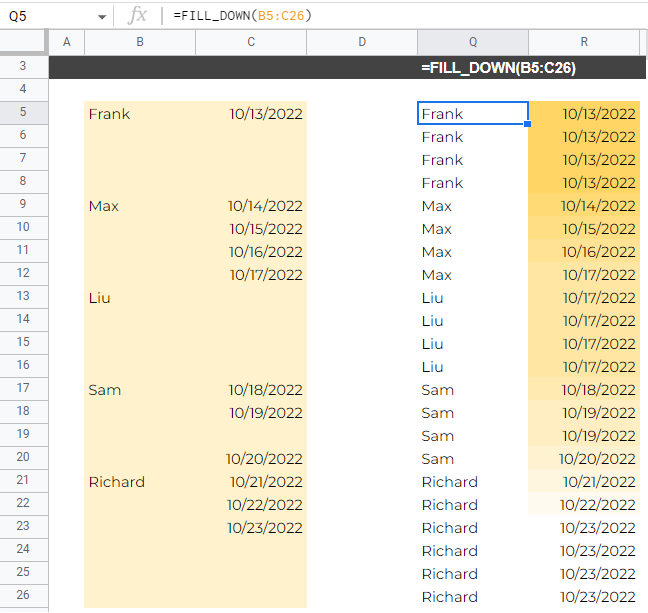
Fill_Down
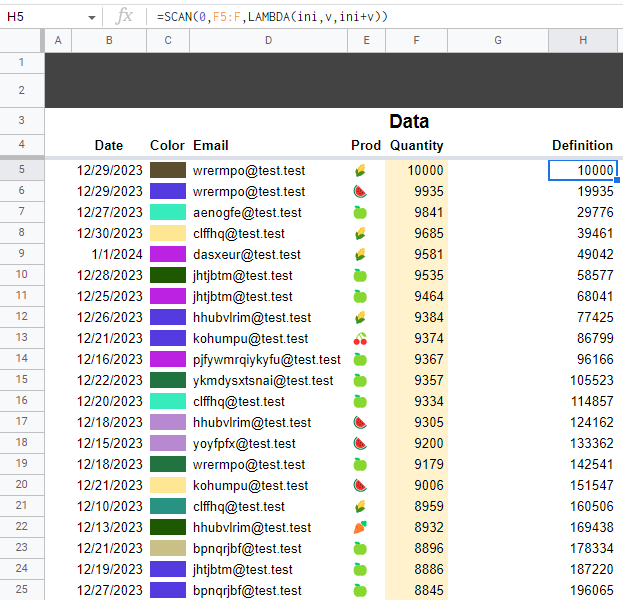
📦Arraysdata fills down values if blank from the top filled cells in each column
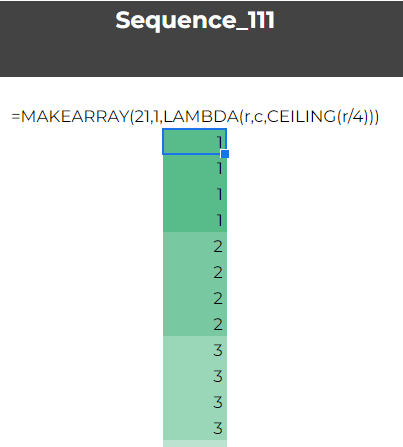
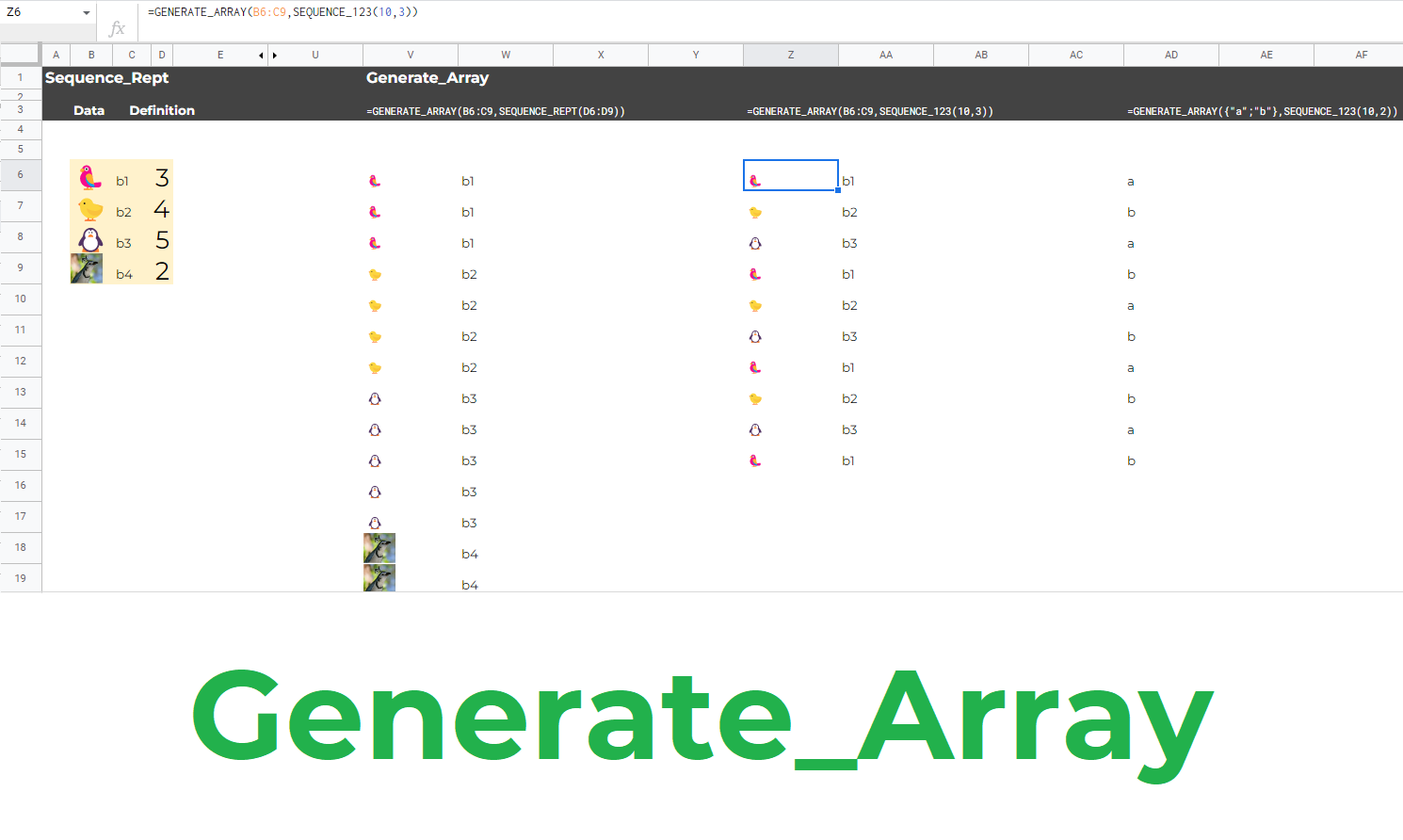
Sequence_Rept
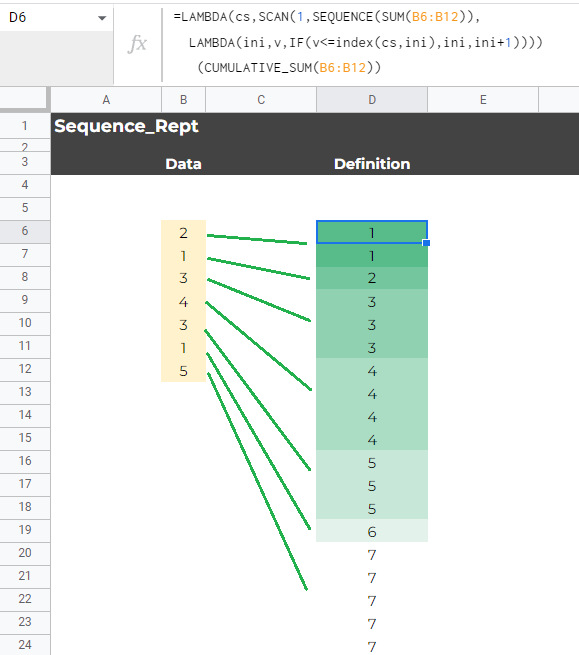
👻Gensnumbers sequence of repeated numbers of N elements each: 1,1,1,2,2,2,2,3,3,4,...
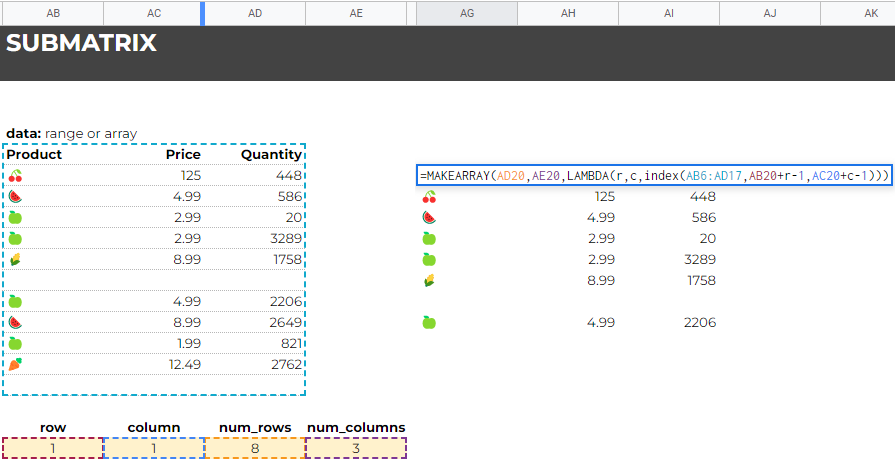
SubMatrix
📦Arraysdata,row_start,col_start,num_rows,num_cols creates a submatrix of data with given dimentions
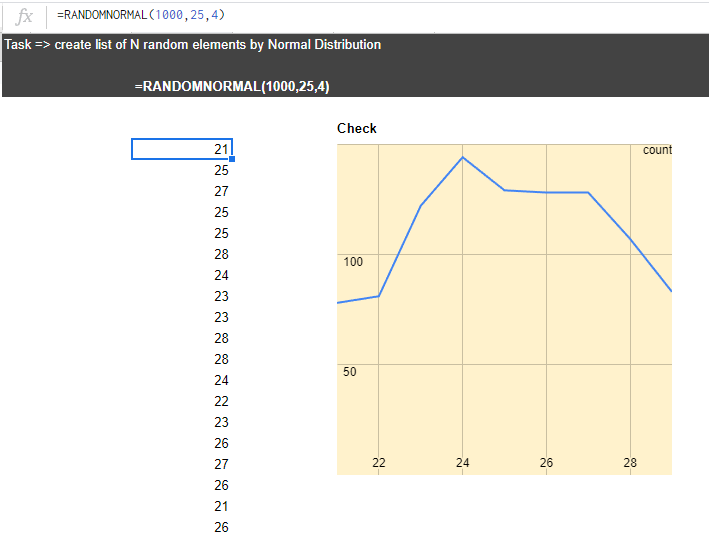
RandomNormal
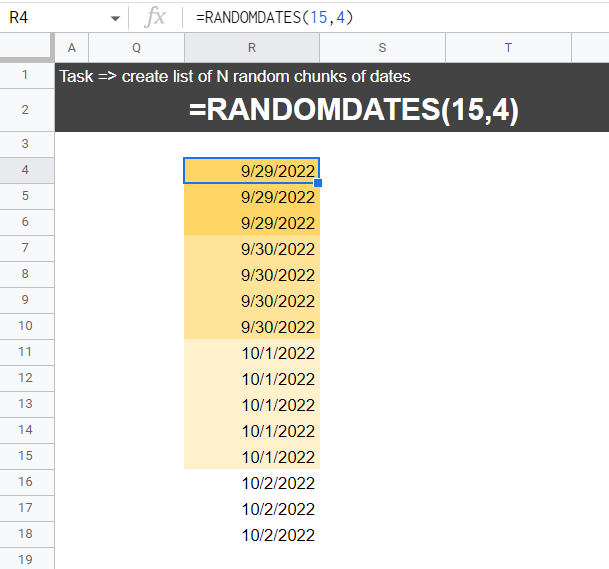
👻Genshow_many,mean,deviation Creates a fake normal distibuted data on how_many elements
DummyData
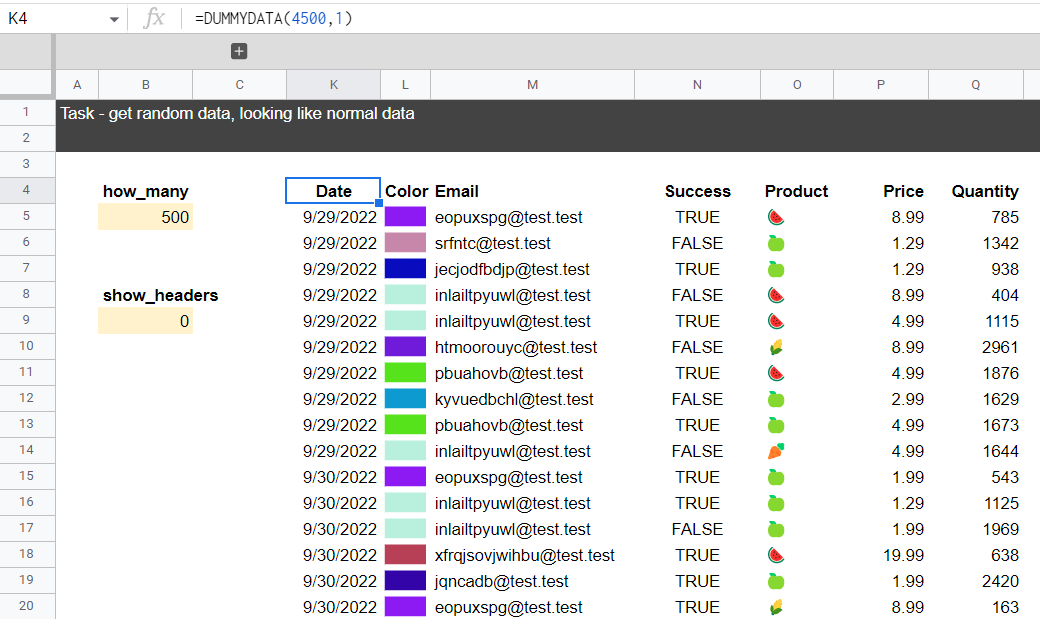
👻Genshow_many,show_headers Get random data, looking like normal data: * date range distributed normally * emails and colors = 20 random persons * random true/false * "real" products + prices * growing quantities
RandomQuadratic
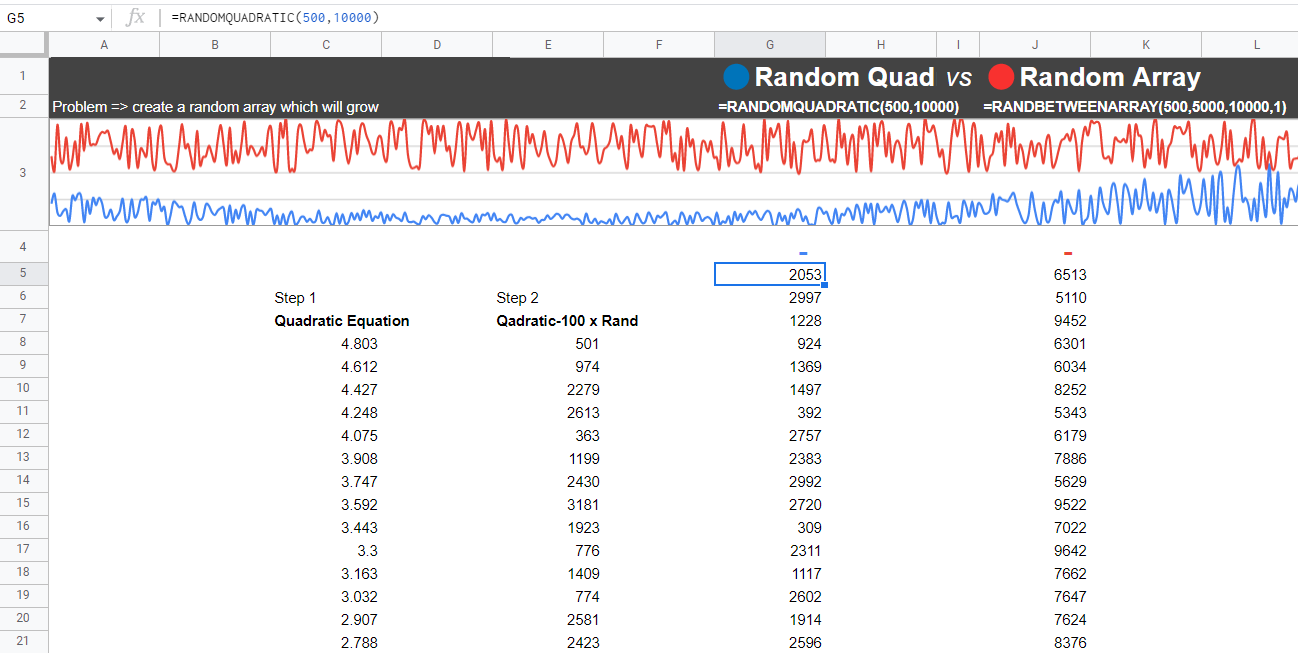
👻Genshow_many,max_num Create random list of numbers, that are distributed by Quadratic Equation
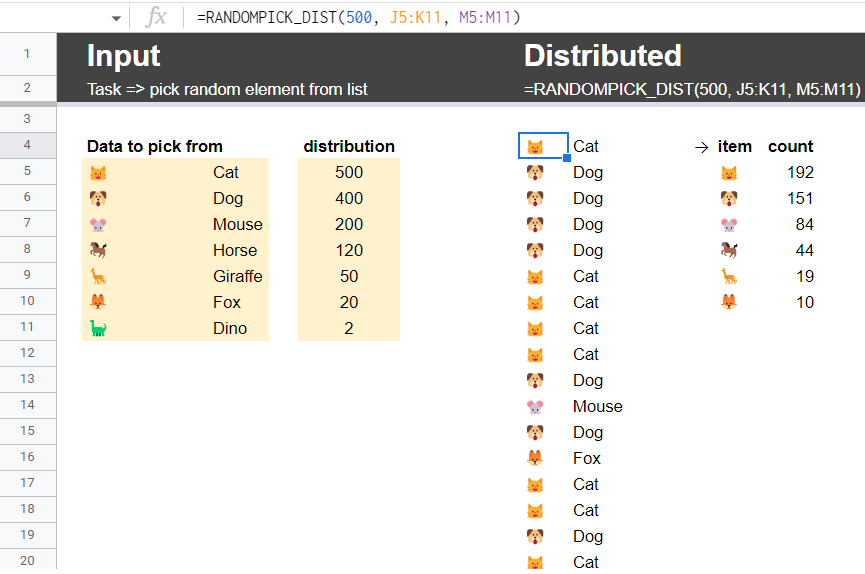
RandomPick_Dist
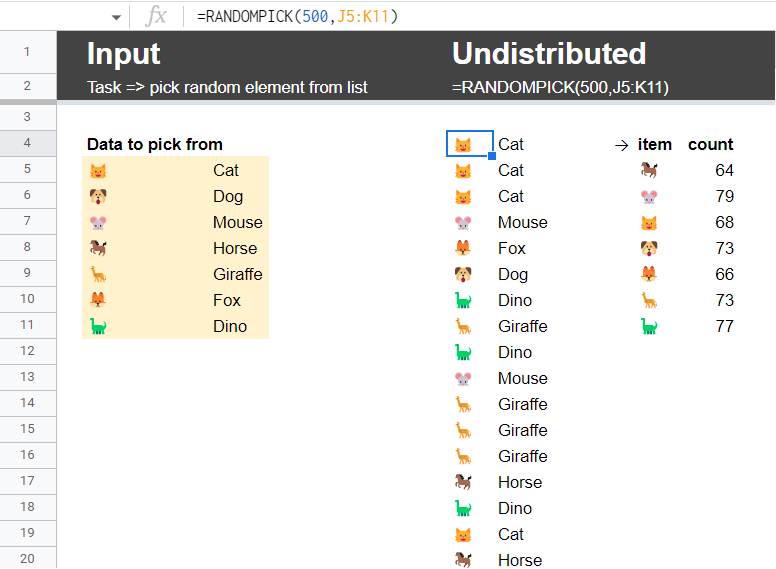
👻Genshow_many,data,distribution Pick random how_many random elements from list. The selection is are distributed.
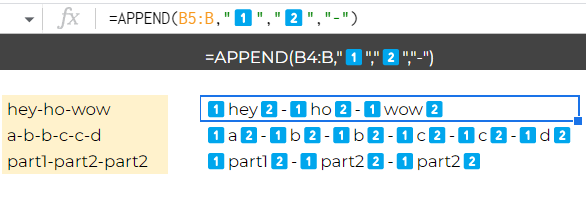
Append
📜Textstext,delimiter,value_pre,value_after append and/or prepend text to parts of delimited texts
Group_Start
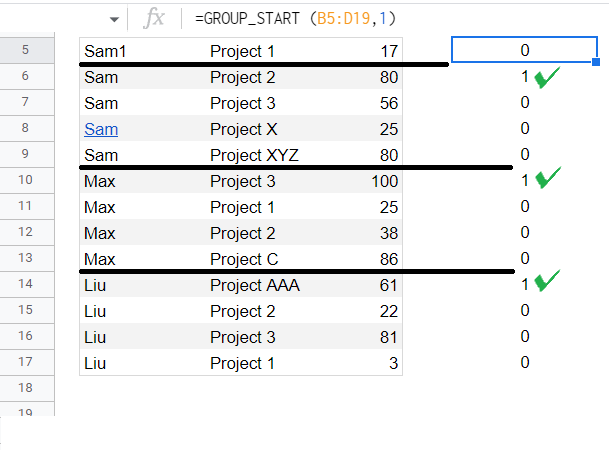
📦Arraysdata,col Puts 1 in place of a group start. Select data and col with group names.
Group_ItemsCount
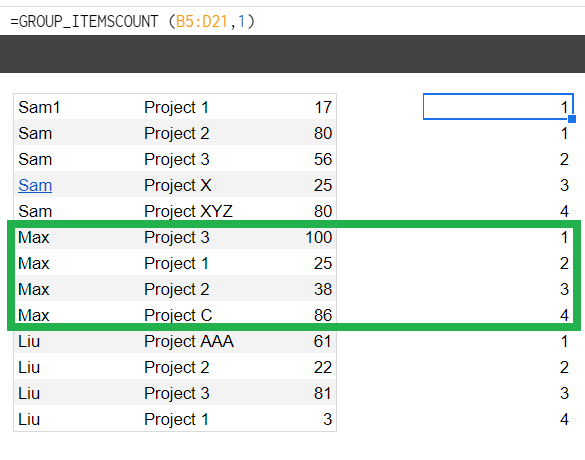
📦Arraysdata,col Create counter of items of group. Select data and col with group names.
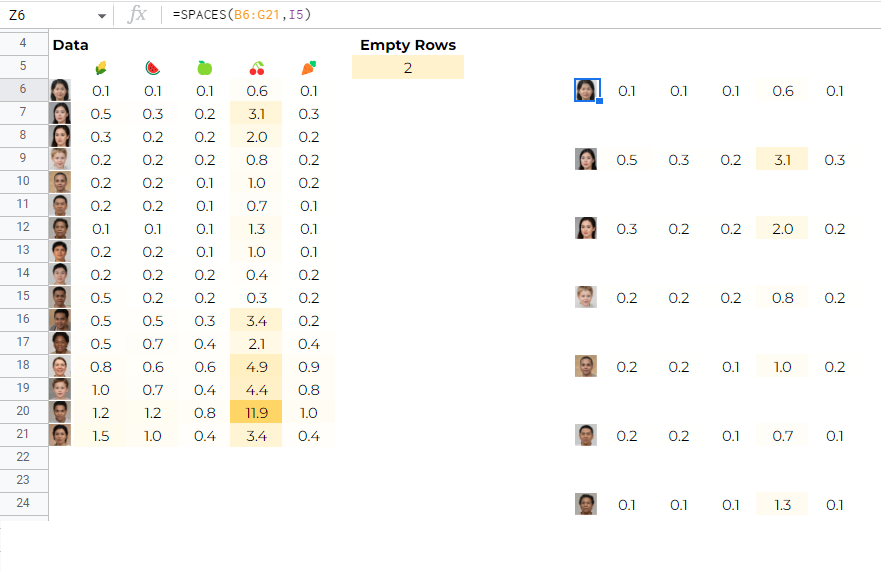
Group_Spaces
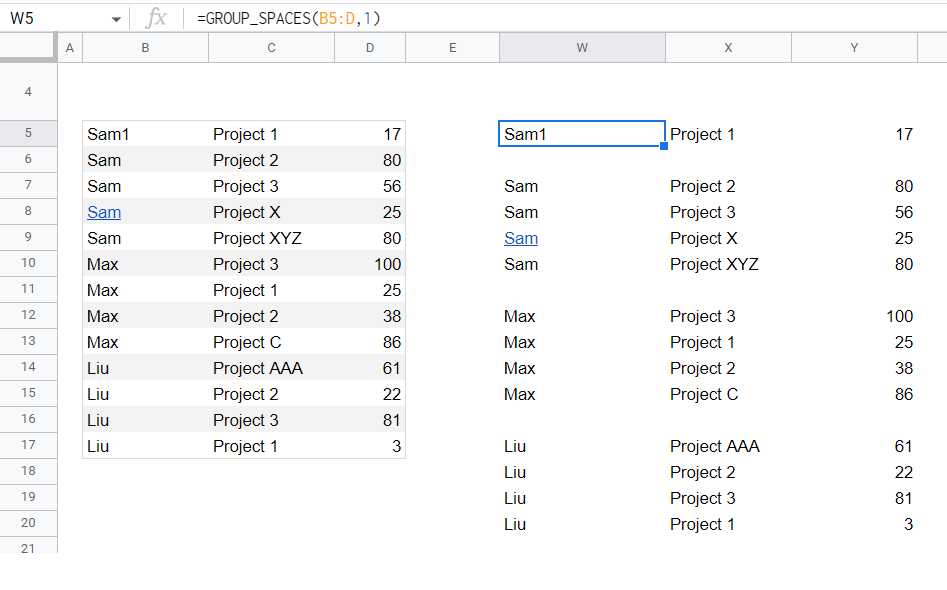
📦Arraysdata,col Adds space between each group. Select data and col with group names.
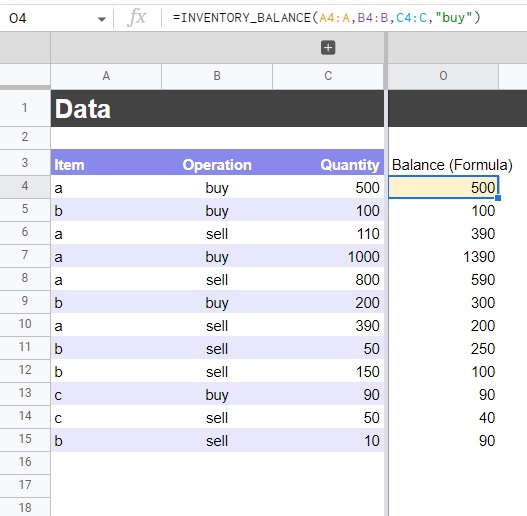
Inventory_Balance
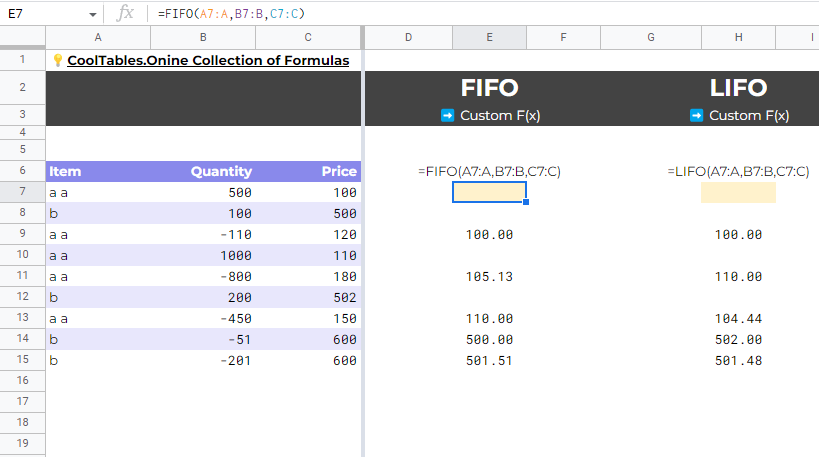
📦Arraysitems,operations,quantities,buy_key Use to dynamically get the remaining inventory balance of each item
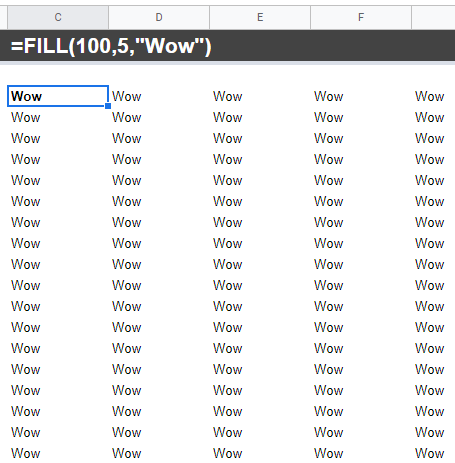
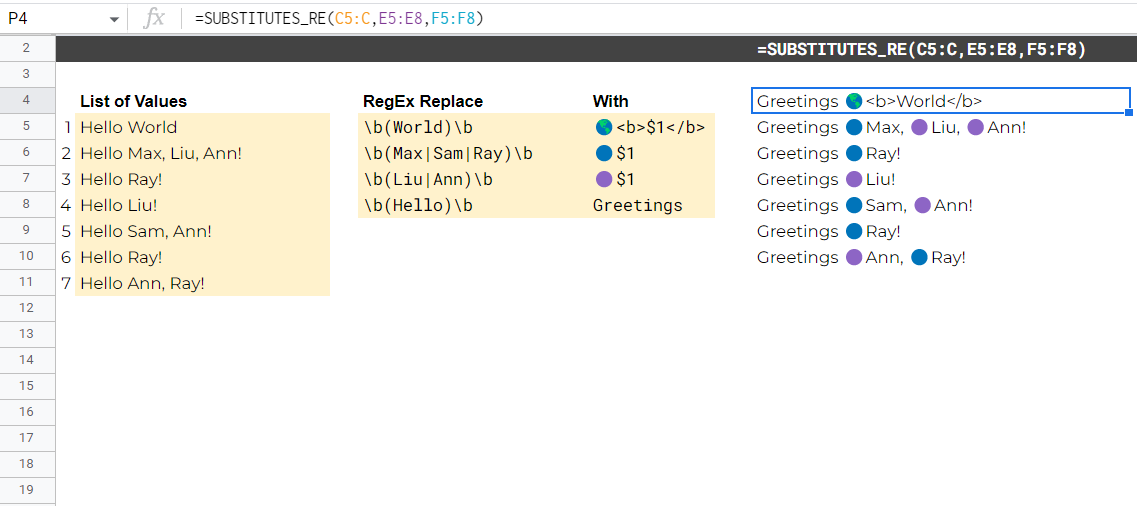
Substitutes_re
📜Textslist0,list1_re,list2_with Regex Replace each element in list1 with the element of list2 in each text of list0
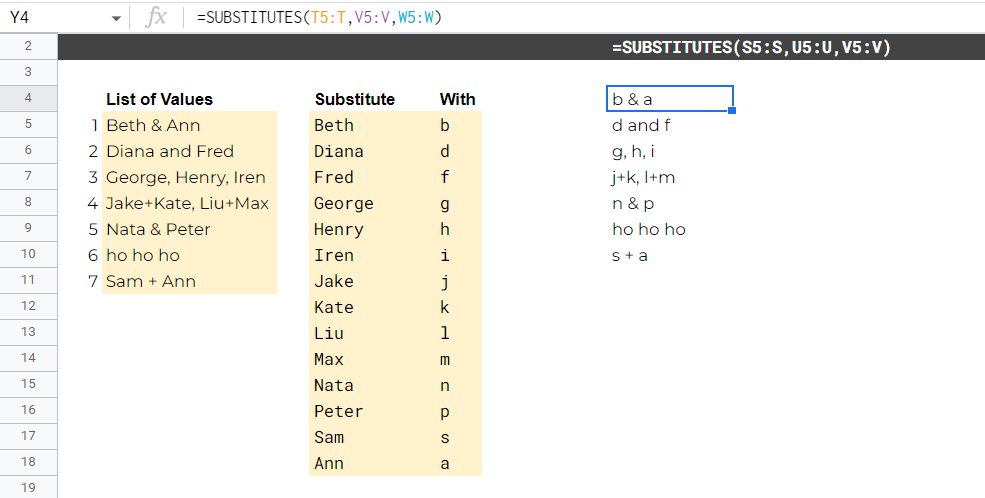
Substitutes
📜Textslist0,list1,list3_with Substitute each element in list1 with the element of list2 in each text of list0
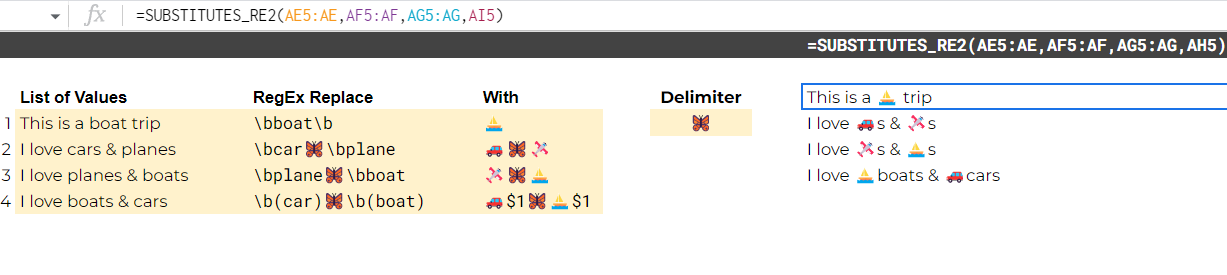
Substitutes_re2
📜Textslist0,list1,list2,delimiter Regex Replace values from delimited list1 with delimited list2 in texts from list0
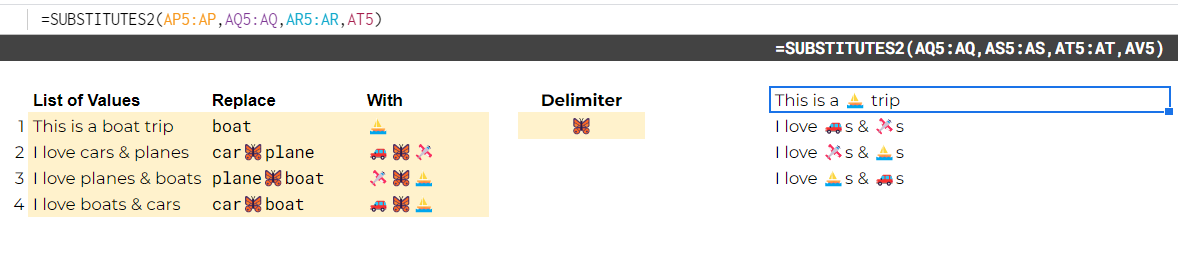
Substitutes2
📜Textslist0,list1,list2,delimiter Substitutes values from delimited list1 with delimited list2 in texts from list0
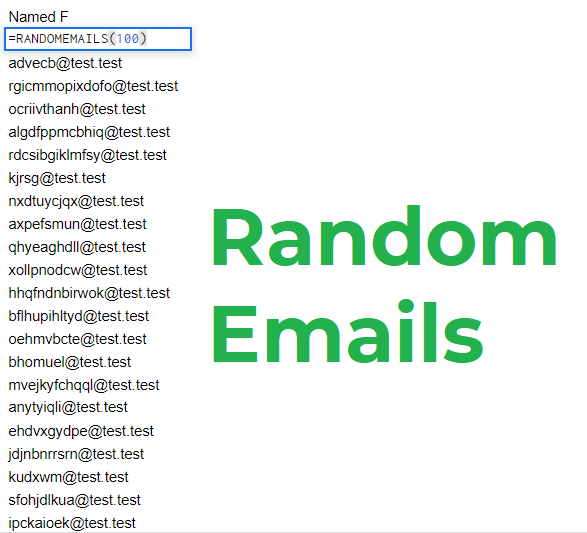
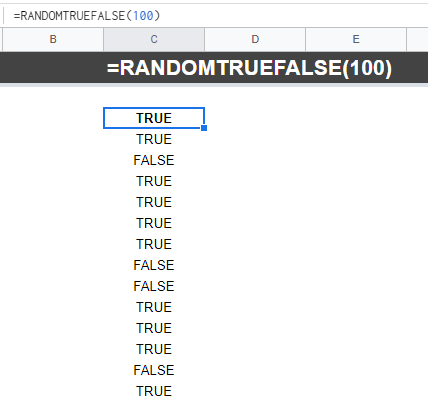
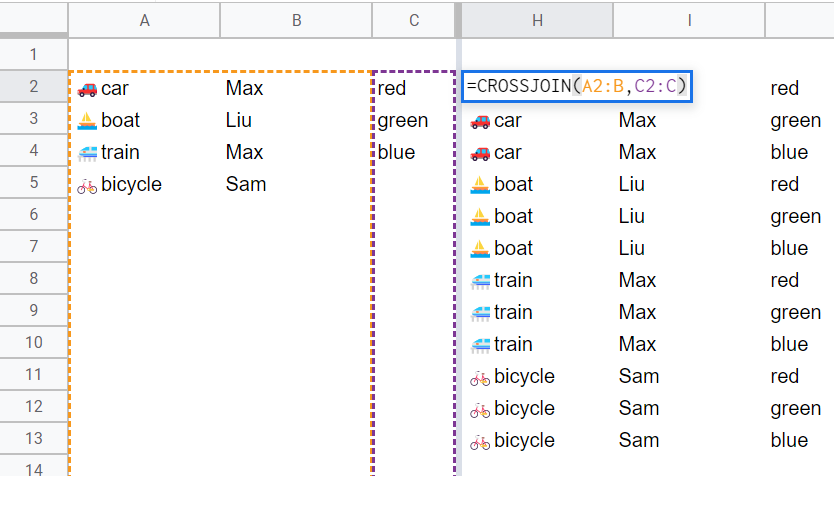
CrossJoin
📦Arrayslist1,list2 Multiply 2 lists. Join 2 lists: list1 & list2. This operation is called Cartesian product: set of all ordered pairs (a, b) where a is in A and b is in B.
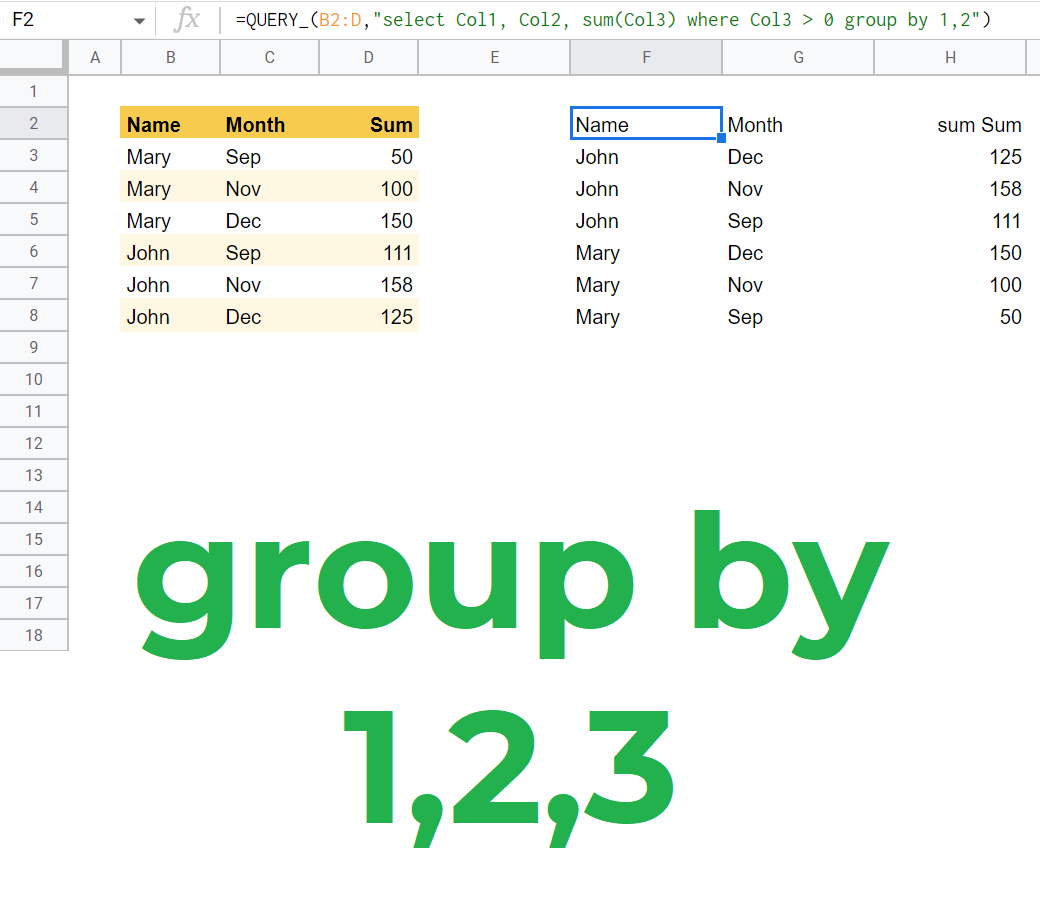
Query_
🚀Power-Upsdata,querytext Enriches functionality of QUERY. Use shortcut in group by clause: =QUERY_(C2:E,"select Col1, Col2, sum(Col3) where Col3 > 0 group by 1,2")
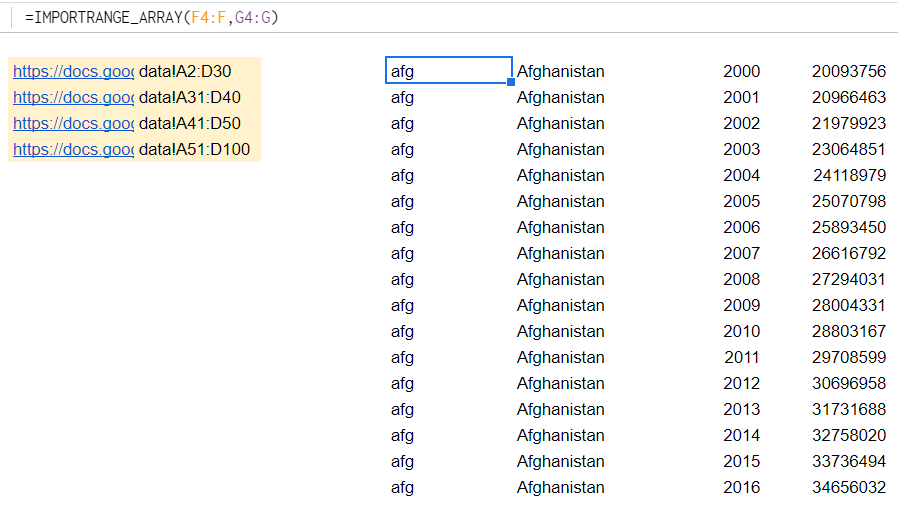
ImportRange_Array
🚀Power-Upssources,ranges ImportRange ArrayFormula. Has 2 parameters: sources, ranges.
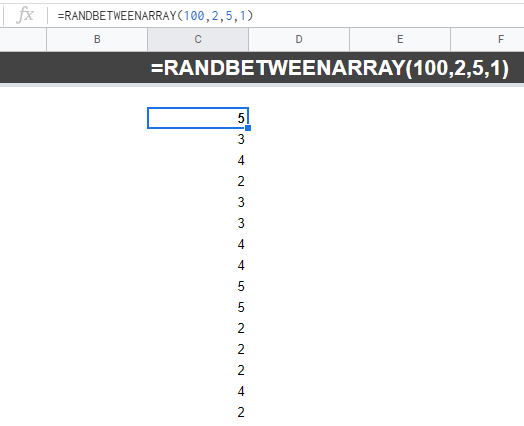
RandBetweenArray
👻Genselements,from,to,mode Create a list of random integers on N elements, each of them is between from & to bounds. Select mode=1 to prevent random array from recalculation.
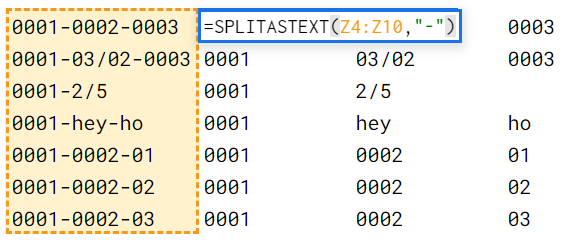
SplitAsText
📜Textstext,delimiter Split text as "01-02-03" by delimiter "-" and get the textual output without auto-convrsion of the result to number. Usual split will produce numners: 1,2,3. SplitAsText will give texts: "01", "02", "03"
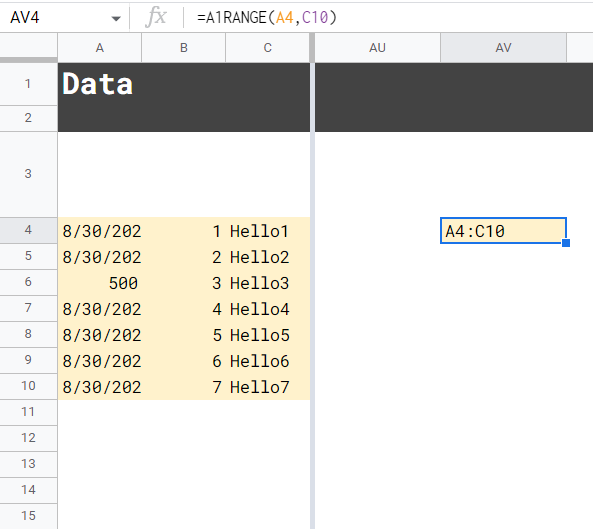
A1Range
🔀Navcell1,cell2 Give it cell1 A1 and cell2 D4 to get the string range notation: "A1:D4"
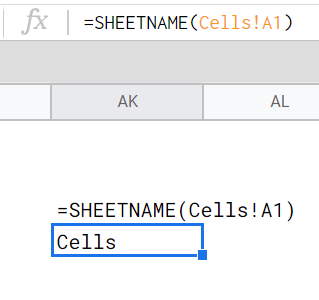
SheetName
🔀Nava1cell Extract sheet name from a a1cell, placed in another sheet of the current file.